Too many teams download a toolbox talk template Word file, fill in a few lines, and call it a day. The result? Meetings that feel routine, disengaged crews, and safety risks that slip through. A truly effective toolbox talk goes beyond a checkbox. It’s a focused, conversational safety briefing that addresses real hazards in real time. But without the right template, even the best intentions fall flat.
The best templates aren’t just forms to complete—they’re frameworks that guide meaningful discussion, encourage participation, and document accountability. When built right, a Word-based toolbox talk template becomes a living document: easy to update, quick to distribute, and fully compliant with safety standards like OSHA and ANSI.
This guide gives you exactly that: practical, customizable toolbox talk templates in Word format you can use immediately, along with insights to maximize their impact.
What a Good Toolbox Talk Template Word File Should Include
A strong toolbox talk template in Word isn’t overloaded with fields. It’s focused, clear, and built for real-world use. Here’s what should be in every version:
1. Header with Essential Metadata
- Date of the talk
- Job site or location
- Supervisor or safety officer name
- Crew size and roles
- Duration of meeting
This section helps with audits and tracking. Always use a consistent naming convention—for example: Toolbox_Talk_Electrical_Safety_0410.docx.
2. Topic and Objective Statement A one-sentence goal sets the tone. Instead of “Electrical Safety,” try: “Identify common electrical hazards on site and review lockout/tagout procedures.”
3. Hazard Breakdown List 3–5 key hazards related to the topic. For example, under “Working at Heights”: - Unsecured scaffolding - Missing guardrails - Improper harness use
Use bullet points for clarity. Avoid jargon—write so a new hire can understand.
4. Discussion Prompts
This is where engagement happens. Include 2–3 open-ended questions: - “Have you seen unsafe ladder use this week?” - “What would you do if a coworker wasn’t wearing fall protection?”
These spark conversation and surface hidden risks.
5. Action Items & Follow-Up Document decisions made:
- “Inspect all harnesses weekly”
- “Report damaged guardrails to foreman immediately”
Assign owners and deadlines where possible.
6. Attendance and Sign-Off A table with columns for:
- Name
- Signature (or initials)
- Role
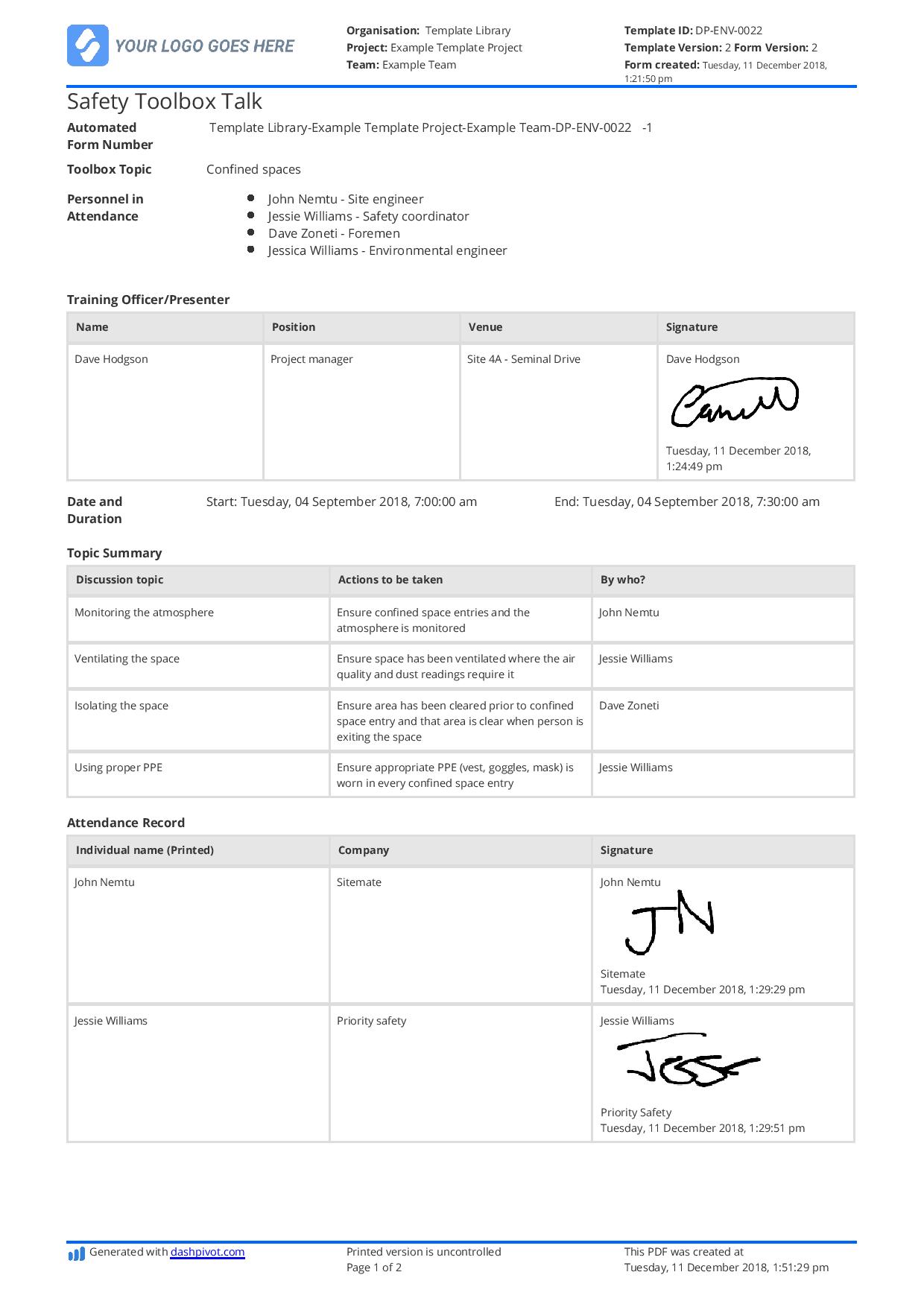
Digital signatures work if printed later. Never skip this step—OSHA requires proof of training.
Common Mistakes in Word-Based Toolbox Talk Templates
Even with a solid structure, teams make predictable errors. Avoid these:
❌ Overloading the Template Too many fields turn a 10-minute talk into a 30-minute paperwork session. Keep it to one page if possible.
❌ Reusing the Same Template for Every Topic A generic “Safety Talk” form with blank lines fails to guide conversation. Customize for each hazard.
❌ No Follow-Up Mechanism If nothing changes after the talk, crews disengage. Build in a “Follow-Up Review” section for the next week’s meeting.
❌ Ignoring Site-Specific Risks A template about forklift safety that doesn’t mention your warehouse layout is useless. Edit the template to reflect real conditions.
❌ Forgetting Accessibility Use readable fonts (e.g., Calibri 11pt), high-contrast colors, and avoid tiny text boxes. Not all crews work on tablets.
Free Downloadable Toolbox Talk Template Word Options
Below are five high-quality, editable Word templates you can use immediately. All are designed for practicality and compliance.
| Option | Best For | Customizability | Key Feature |
|---|---|---|---|
| OSHA-Compliant Daily Safety Talk | Construction teams | High | Includes OSHA reference numbers |
| Hazard-Specific Template Pack | Weekly rotating topics | Full | 12 pre-built templates (falls, PPE, etc.) |
| Multilingual Attendance Sheet | Diverse crews | Moderate | Bilingual (English/Spanish) sign-in |
| Supervisor-Focused Briefing Doc | Foremen and leads | High | Includes coaching tips |
| Incident-Driven Response Template | Post-near-miss talks | Medium | Root cause analysis section |
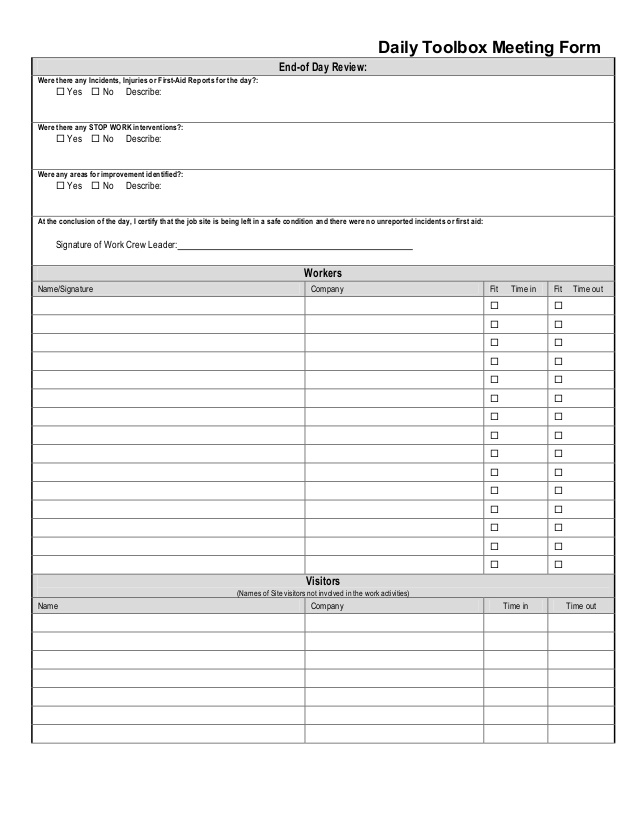
These templates are available in standard .docx format, fully editable in Microsoft Word or Google Docs (via upload). Most use tables for structure, making reformatting easy.
Pro Tip: Save your master version as “Read-Only” to prevent accidental edits. Use “Save As” for each new talk.
How to Customize Your Toolbox Talk Template Word File
Start with a solid base, then tailor it. Here’s how:
Step 1: Pick a Core Template Choose the one closest to your workflow. The OSHA-compliant version is a safe starting point.
Step 2: Brand It Add your company logo, safety slogan, and contact info. This increases ownership and professionalism.
Step 3: Align with Site Risks If you’re doing roofing work, emphasize fall protection, weather delays, and material handling. Delete irrelevant sections.
Step 4: Add Visual Cues Insert simple icons (⚠️ for hazard, ✅ for action) or embed a small site map. Visuals improve recall.
Step 5: Create a Template Library Save versions for common topics:
Toolbox_Talk_Hot_Work.docxToolbox_Talk_Trench_Safety.docxToolbox_Talk_Equipment_Inspection.docx
Label them consistently so anyone can find them.
Integrating the Template into Your Safety Workflow
A template is only useful if it’s used consistently. Build it into your routine:
Weekly Planning
- Every Friday, supervisors select the next week’s topics based on schedule and risk.
- Pull the matching template, update fields, and print or share digitally.
Pre-Meeting Prep
- Print one copy per crew member—or load to tablets.
- Brief the supervisor using discussion prompts.
During the Talk
- Keep it under 15 minutes.
- Use the template as a guide, not a script.
- Encourage input—record new hazards raised.
Post-Meeting
- Save completed copies in a shared folder (e.g.,
Safety/Talks/2024/Q2/). - Flag action items in your project management tool.
- Review past talks monthly for trends.
Example: After three talks on slips and falls, a crew noticed repeated issues with wet concrete areas. They added “deploy anti-slip mats” as a standing control—documented in every subsequent template.
Why Word—Not PDF or Apps? Many safety teams consider switching to apps or PDF forms. But Word remains a powerful choice for several reasons:
✅ Universal Access Every site office has Word or a compatible viewer. No login, no app install.
✅ Easy Edits Need to add a new hazard? Change a header? Done in seconds.
✅ Offline Use Works without Wi-Fi—critical on remote sites.
✅ Print-Ready Formats cleanly for signatures, binders, or audits.
While digital platforms offer automation, Word strikes the best balance for small to mid-sized teams. Use it as a bridge until you’re ready for full digitization.
Making the Most of Your Toolbox Talk Template
A template isn’t magic—it’s a tool. Its value comes from how it’s used.
Treat each talk as a chance to reinforce culture, not just compliance. A well-run session builds trust, surfaces issues early, and reduces incidents.
Download a template today. Customize it tomorrow. Run your first talk the day after. Keep refining.
Safety isn’t a document—it’s a conversation. But with the right toolbox talk template Word file, that conversation becomes visible, repeatable, and effective.
Frequently Asked Questions
Where can I get a free toolbox talk template in Word? Many safety organizations and government sites (like OSHA) offer free templates. Reliable sources include NIOSH, CPWR, and industry associations. Always verify the template includes attendance tracking and hazard discussion sections.
Can I edit a Word template on a phone or tablet? Yes, with Microsoft Word or Google Docs apps. However, editing works best on larger screens. Use tablets for viewing and signing, not major formatting.
How often should toolbox talks be held? Weekly is standard in high-risk industries. After an incident or near-miss, hold one immediately—even if it’s unscheduled.
Should toolbox talk templates be the same for every crew? No. Customize based on job type, location, and crew experience. A demolition team needs different prompts than a plumbing crew.
What if a worker refuses to sign the template? They must either sign or provide a written reason. Unsigned talks create compliance gaps. Follow up individually if needed.
Do toolbox talks need to be in writing? Yes. OSHA and most jurisdictions require documented safety training. Verbal talks without records have no legal standing.
Can I use the same template for monthly safety meetings? Not ideal. Monthly meetings are broader. Use a separate, more detailed format for those. Keep toolbox talks short and focused.
FAQ
What should you look for in Toolbox Talk Template Word: Practical Free Downloads? Focus on relevance, practical value, and how well the solution matches real user intent.
Is Toolbox Talk Template Word: Practical Free Downloads suitable for beginners? That depends on the workflow, but a clear step-by-step approach usually makes it easier to start.
How do you compare options around Toolbox Talk Template Word: Practical Free Downloads? Compare features, trust signals, limitations, pricing, and ease of implementation.
What mistakes should you avoid? Avoid generic choices, weak validation, and decisions based only on marketing claims.
What is the next best step? Shortlist the most relevant options, validate them quickly, and refine from real-world results.